Adding a task or a group of tasks
You can add a task to a visit. If your list shows only groups of tasks, you will only be able to add another group.
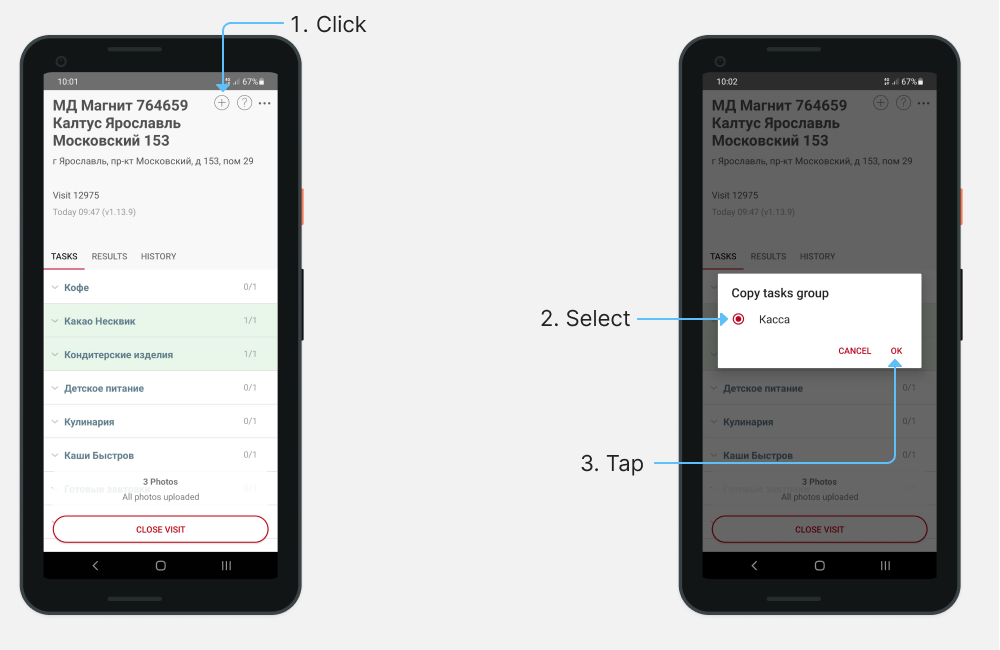
- Tap on in the visit window.
- In the list that appears, select required task or a group.
- Tap on «OK».
Note
may not be present in the visit window. It depends on the project settings.
It is not possible to remove a task or a group of tasks from a visit.
Note
To contact technical support during the visit, tap on . In the opening window, for Android, select Support, for iOS - Help.
If you have any questions or issues, please contact the support.